
The AI Bookshelf Scanner for Physical Books
Skip the barcode scanning and manual typing. Point your phone camera at any shelf and pan across to detect dozens of book spines in a single sweep.
"One sweep of the camera, and 30 books just... appeared. It's actually addictive."— Tal
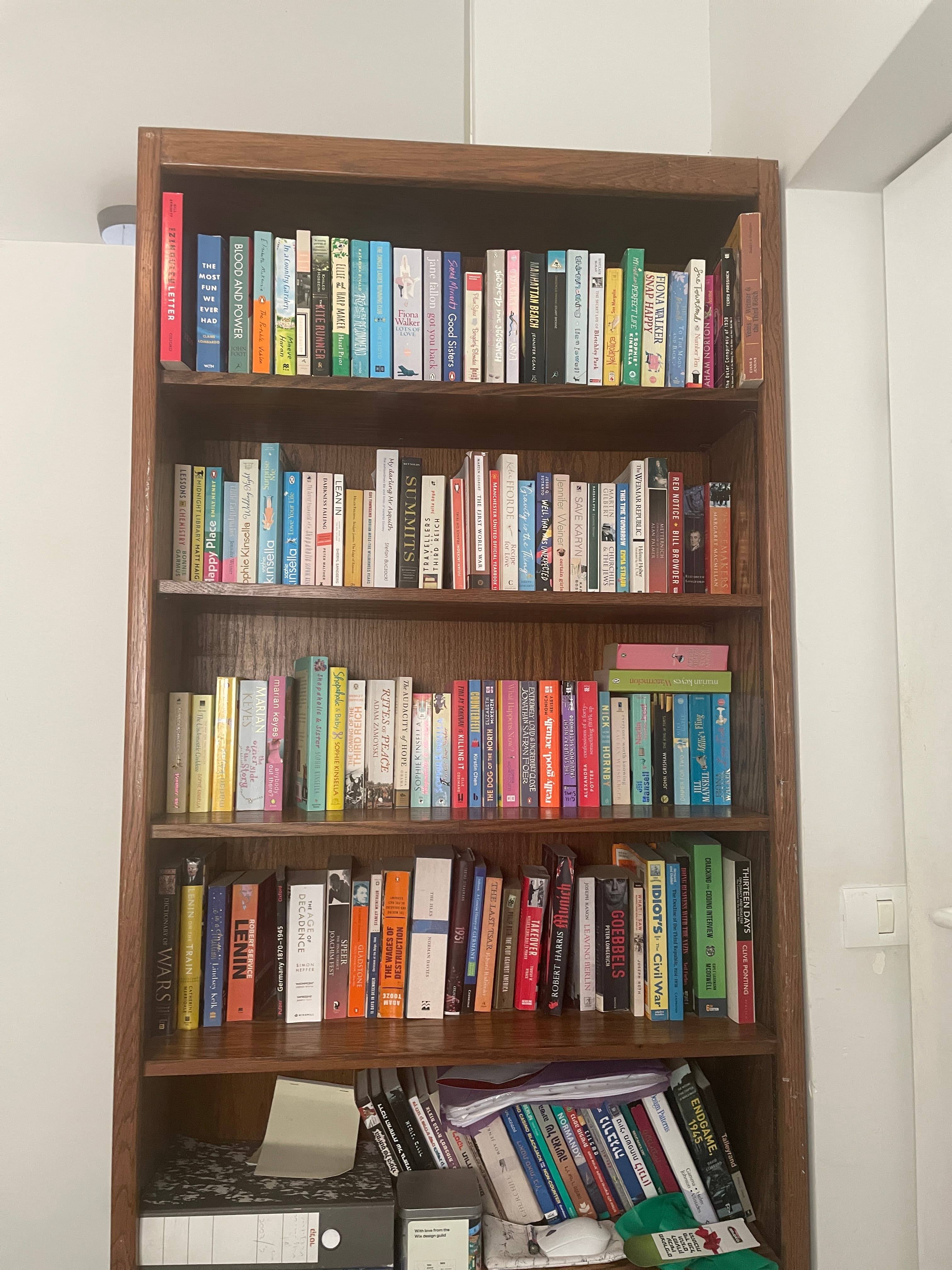
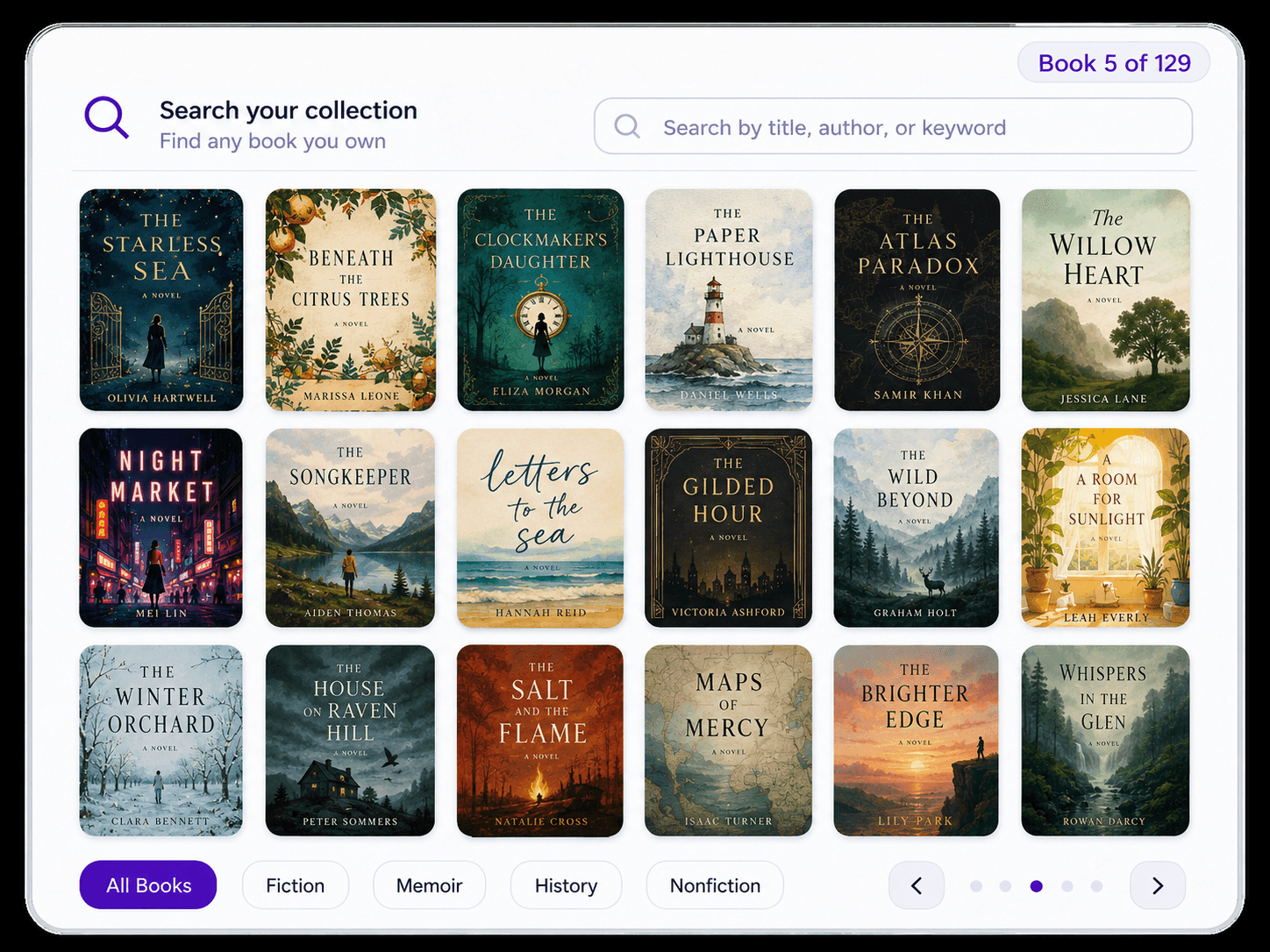
Bookshelf scanning
How Velato scans a physical bookshelf
The workflow is built around a real bookcase: capture the shelf as it stands, identify multiple visible spines, then review the resulting catalog.
- 1
Scan a whole shelf in one pass
Use your phone camera to capture a row of books while they remain on the shelf instead of isolating titles one by one.
- 2
Velato reads the visible spines
The app detects book titles from the shelf view, so you do not need to expose and scan each back-cover barcode before moving on.
- 3
Review, organize, and search your library
Check the recognized books, correct anything that needs attention, and keep the results in a digital library you can search later.
Bookshelf scan vs. barcode scan
Why full shelves need a different scanning workflow
Barcode scanning works well when you are adding one book at a time. Cataloging an existing bookcase is a different job: the repetitive part is handling every individual book.
One shelf pass instead of one ISBN after another
A barcode workflow repeats the same motion for every book. Velato is designed to capture multiple visible spines before you stop to review the results.
Your books stay where they already live
There is no need to pull every book out, flip it over, and rebuild the shelf. Velato starts from the shelf view you already have.
The scan keeps the library context
The goal is not simply to identify a title. Velato uses the shelf as the starting point for a catalog that remains connected to where the physical books live.
Why spine scanning is difficult
A bookshelf is a messy visual problem
Book spines are thin, titles run in different directions, fonts vary, books lean into one another, and lighting changes across the row. Worn jackets, partial text, horizontal stacks, and tightly packed shelves make the task very different from reading one clean barcode.
Velato is built specifically around that shelf problem. Its recognition workflow uses the visible spines as the input, then gives you a chance to review the matches before they become part of your catalog. The point is not to make every shelf perfect—it is to make cataloging the collection practical without taking the bookcase apart.
After the scan
Turn the shelf scan into a library you can use
Scanning is the capture step. The useful part is what happens afterward: knowing what you own, where it lives, and being able to search it later.
A searchable inventory of your books
Once the shelf is scanned, recognized titles become part of a searchable inventory you can check at home or before buying another copy.
See how book inventory worksShelf context, not just a flat list
Velato keeps the catalog tied to the way your shelves are organized, which makes it easier to find the physical copy later.
See shelf organizationA faster starting point for cataloging
If the alternative is adding every book one at a time, a shelf scan can turn the initial capture into a review task instead of a manual-entry project.
Compare home-library cataloging methods
Reader reactions
What readers are saying
Speed and ease are the first things readers mention once they try a full-shelf scan.
"One sweep of the camera, and 30 books just... appeared. It's actually addictive."
— Tal, 100+ books
"My bookcase has 2 columns, 5 rows each. I scanned them all in less than 5 minutes."
— Sam, 500+ books
"I scanned five shelves in less than a minute."
— Beta tester, 300+ books
FAQ
Questions about scanning bookshelves
Practical answers about spine recognition, barcodes, shelf conditions, and device availability.
Is Velato free?
Yes. Velato is free to download on iOS and Android, so you can try scanning your own shelves before deciding whether the workflow fits your library.Does it work on Android?
Yes. Velato is available on iOS and Android, with shelf scanning designed for cataloging physical book collections from your phone.How accurate is book-spine recognition?
Accuracy depends on lighting, framing, spine condition, and how much of each title is visible. Velato is designed specifically for shelf scans, and you can review and correct the identified books after each pass.What if my book spines are worn or hard to read?
Velato does best with readable spines and decent lighting, but real shelves are rarely perfect. You can keep the successful matches, correct misses, and continue without rebuilding the entire scan from scratch.How is scanning a bookshelf different from scanning barcodes?
A barcode workflow identifies books one at a time, requiring you to pull every volume off the shelf to find an ISBN. Velato uses computer vision to scan dozens of visible book spines continuously while your collection stays in place. If you want to see how the resulting collection is organized, browse our digital book catalog, or compare workflows directly in our guide on the Libib alternative.How many books can I scan at once?
Velato is designed for rows of books rather than one-book sessions. A single pass can capture dozens of visible spines, depending on shelf width, framing, lighting, and image quality.
Scan your shelf. Build your library.
Turn visible book spines into a searchable home-library catalog with Velato, free to download on iOS.
"One sweep of the camera, and 30 books just... appeared. It's actually addictive."