
The Smart Book Catalog App for Physical Collectionsons
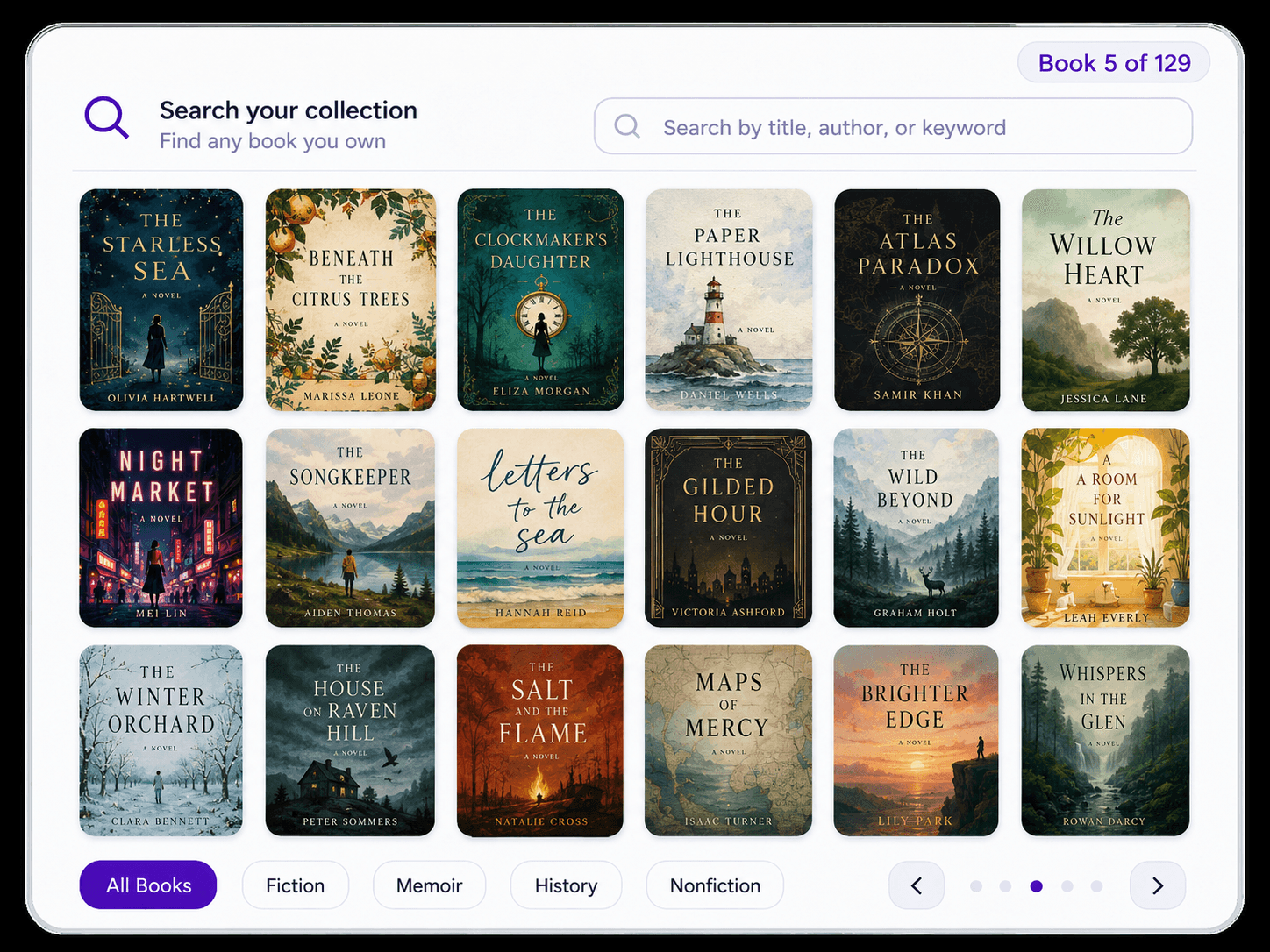
Catalog your physical library in minutes, not weekends. Velato scans full bookshelves continuously to build a searchable digital catalog with cover art, rich metadata, and physical shelf locations.
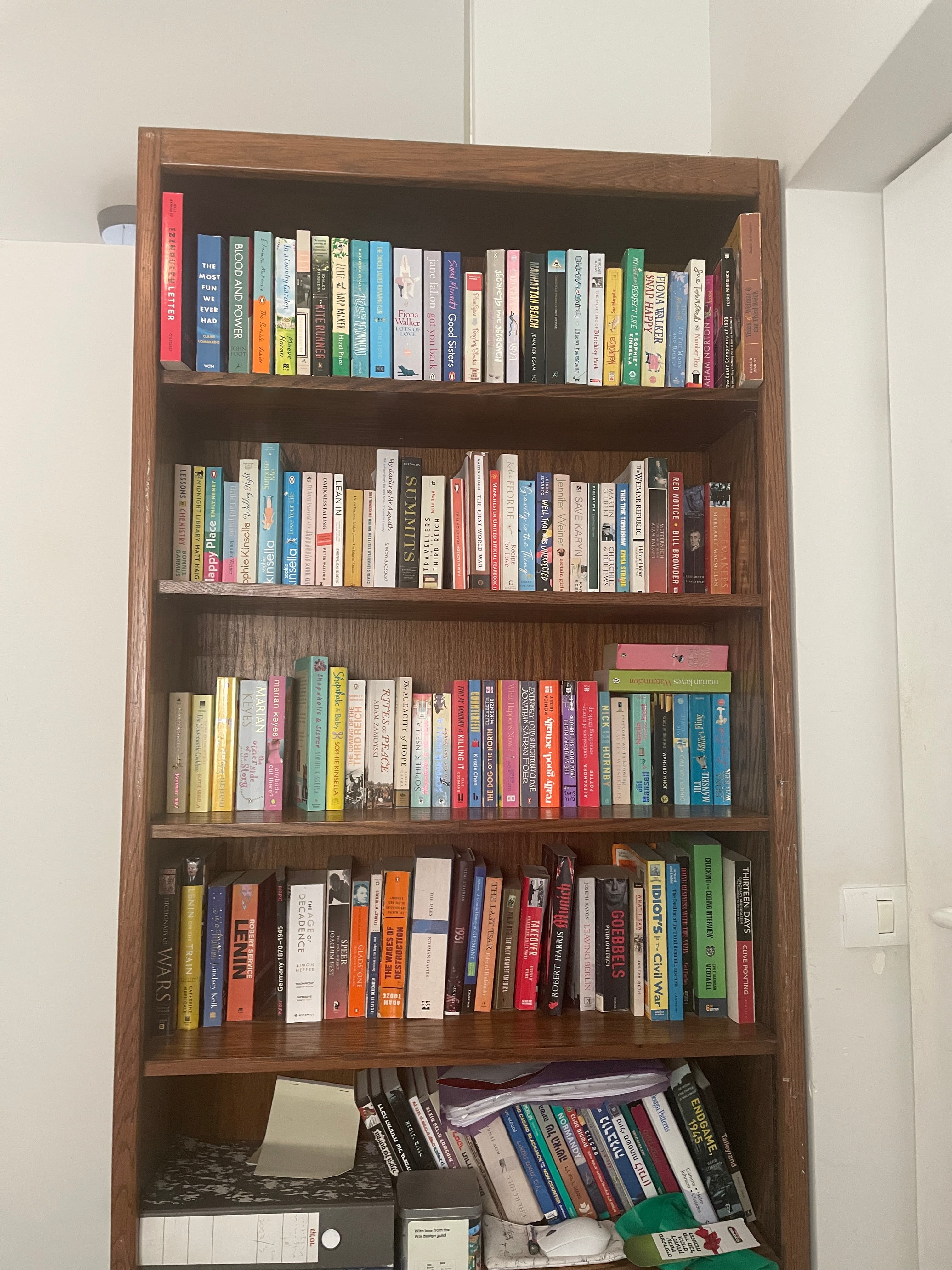
"My bookcase has 2 columns, 5 rows each. I scanned them all in less than 5 minutes."— Sam, 500+ books
THE PROBLEM
Why an Existing Library Needs a Different Workflow
Most book catalog apps still make you add books one at a time—by scanning a barcode or searching for each title. That works for a few books. For an existing home library with hundreds of books, it becomes a project. Velato replaces that one-book-at-a-time workflow with a single sweep across the shelf.
Barcode scanning
Reliable for precise, one-book-at-a-time additions. For an already-full bookcase, however, every book must be pulled out, flipped over, scanned, and returned to its place.
Photo-based cataloging
Faster than barcodes, but a single still photo often struggles with crowded shelves, angled spines, and partial text. Cleanup can eat the time you saved.
Velato
Built for shelf-scale cataloging. One continuous pan can capture dozens of visible books in seconds, then you review the results in a library that remains connected to its physical shelves.
HOME LIBRARY CATALOG SYSTEM
A book catalog software built for real bookshelves
Traditional book catalog software expects you to enter books one by one: scan an ISBN barcode, search a database, or type titles manually. While that works for small collections, building a home library catalog system for 200+ books turns into exhausting physical labor.
Velato changes the model with continuous computer vision: sweep your iPhone camera across your bookcase, and the app reads visible spines simultaneously. Whether you spell it a book catalog or book catalogue app, the result is a clean, searchable inventory tied to the exact room and shelf where your books live.
WHAT YOU GET
A Complete Home Library Catalog, Built in Minutes
Velato turns a shelf scan into a home library catalog you can actually use, not just a raw import you still need to rebuild by hand.
Physical shelf-by-shelf inventory
Every book stays mapped to its exact bookcase and row, so you always know where physical copies live.
Explore book inventory featuresCompare cataloging methods
See how continuous spine recognition compares against traditional barcode tools like Libib and CLZ.
Compare book catalog appsHow to organize your library
Step-by-step guidance on sorting, scanning, and cataloging a personal collection from scratch.
Read home library catalog guide
How It Works
Catalog a bookshelf in three steps
Velato keeps the workflow simple: capture the shelf, sweep once, and review a digital catalog instead of repeating the same scan 50 times.
- 1
Frame the full shelf with your iPhone camera
Start with the whole row in view so Velato can work from the shelf itself, not from one isolated book at a time.
- 2
Pan once while Velato reads the spines
Move across the shelf in one steady motion and let the scan keep detecting books continuously as you go.
- 3
Review a searchable library that is ready to use
Your shelf becomes a digital catalog you can search, organize, and revisit without re-scanning every book later.
Reader Reactions
What Readers Are Saying
Speed and ease are the first things readers mention once they try a full-shelf scan.
"One sweep of the camera, and 30 books just... appeared. It's actually addictive."
— Tal, 100+ books
"My bookcase has 2 columns, 5 rows each. I scanned them all in less than 5 minutes."
— Sam, 500+ books
"I scanned five shelves in less than a minute."
— Beta tester, 300+ books
FREQUENTLY ASKED QUESTIONS
Common Questions About Apps for Cataloging Books
What is the best book catalog app for iPhone?
Velato is built specifically for iPhone and designed around a shelf-first workflow. Instead of beginning with one barcode or title at a time, you pan your camera across the shelf and Velato identifies the visible spines for you to review. It is particularly well suited to cataloging a substantial collection that is already on the shelves.How accurate is book spine recognition?
Velato identifies more than 95% of books correctly in normal shelf conditions—upright spines, reasonable lighting, and standard shelf depth. The recognition workflow is designed specifically for how books appear on real shelves, including tilted books, partial spines, and mixed languages. You can review and correct the identified books after each pass.How do I catalog my home library without scanning barcodes?
The traditional approach — pulling each book out, scanning the barcode, putting it back — takes hours for a large shelf. Velato skips that entirely. Open the app, point your camera at a shelf, pan slowly across it, and your library builds itself in real time. A shelf of 50 books typically takes under two minutes from start to searchable catalog.Is Velato free?
Yes — Velato is currently free to download and use on iOS. Scan your shelves, build your catalog, track books you lend, and share your library at no cost.How is Velato different from Goodreads or LibraryThing?
Goodreads emphasizes reading activity and its reader community, while LibraryThing combines detailed cataloging with community features. Velato starts with the physical shelf: it can identify multiple visible spines in one camera pass and preserve the bookcase and shelf where the books live. Velato also supports collection insights and sharing after the initial catalog is built.How is Velato different from Libib?
Libib is a general-purpose catalog for books and other media, with workflows for barcode scanning, search, manual entry, and imports. Velato is focused on physical book collections and begins with the shelf itself. You can pan across visible spines, review the identified books, and keep them connected to their physical shelf location—a useful starting point when a large personal library is already in place.How does Velato compare to Libib, Goodreads, and LibraryThing at a glance?
All four products can help record books, but their primary workflows differ. Velato is built around capturing multiple books from a physical shelf in one camera pass, while Libib, Goodreads, and LibraryThing primarily use barcode scanning, title search, manual entry, or imports. That shelf-first workflow is especially useful for creating the initial catalog of a large existing collection.
Feature Velato Libib Goodreads LibraryThing Scans a full shelf in one pass ✓ — — — Free to use ✓ ✓ ✓ ✓ Can add books without a barcode ✓ ✓ ✓ ✓ Built for large existing collections ✓ ✓ — — Is there an Android version?
Not yet — Velato is currently iOS only. Android is on the roadmap. If you're on Android, you can join the waiting list and we'll notify you when it's available.
Catalog your shelves without the busywork.
Turn your physical book collection into a searchable home library. Scan your shelves with Velato, free on iOS.
"One sweep of the camera, and 30 books just... appeared. It's actually addictive."