
A Complete Inventory System for Your Home Library
Know exactly what sits on your shelves before you buy another copy. Map books to their physical bookcases, organize reading queues, and track books you lend out.
"I scanned five shelves in less than a minute. Finally know what's in my library."— Beta tester, 300+ books
The inventory problem
When your home library outgrows your memory
A few shelves are easy to remember. Once a collection spreads across several bookcases or rooms, familiar questions become harder to answer: Do I already own this title? Which shelf is it on? Did I buy a second copy without realizing it?
A useful book inventory solves those questions without becoming another admin project. The challenge is creating the first record of an existing collection quickly enough that you will actually finish it—and keeping the physical shelf location attached to the catalog afterward.
Why keep an inventory
Know what you own—and where to find it
A home-library inventory should answer ordinary questions about your collection in seconds, without forcing you to remember every shelf yourself.
Check what you already own
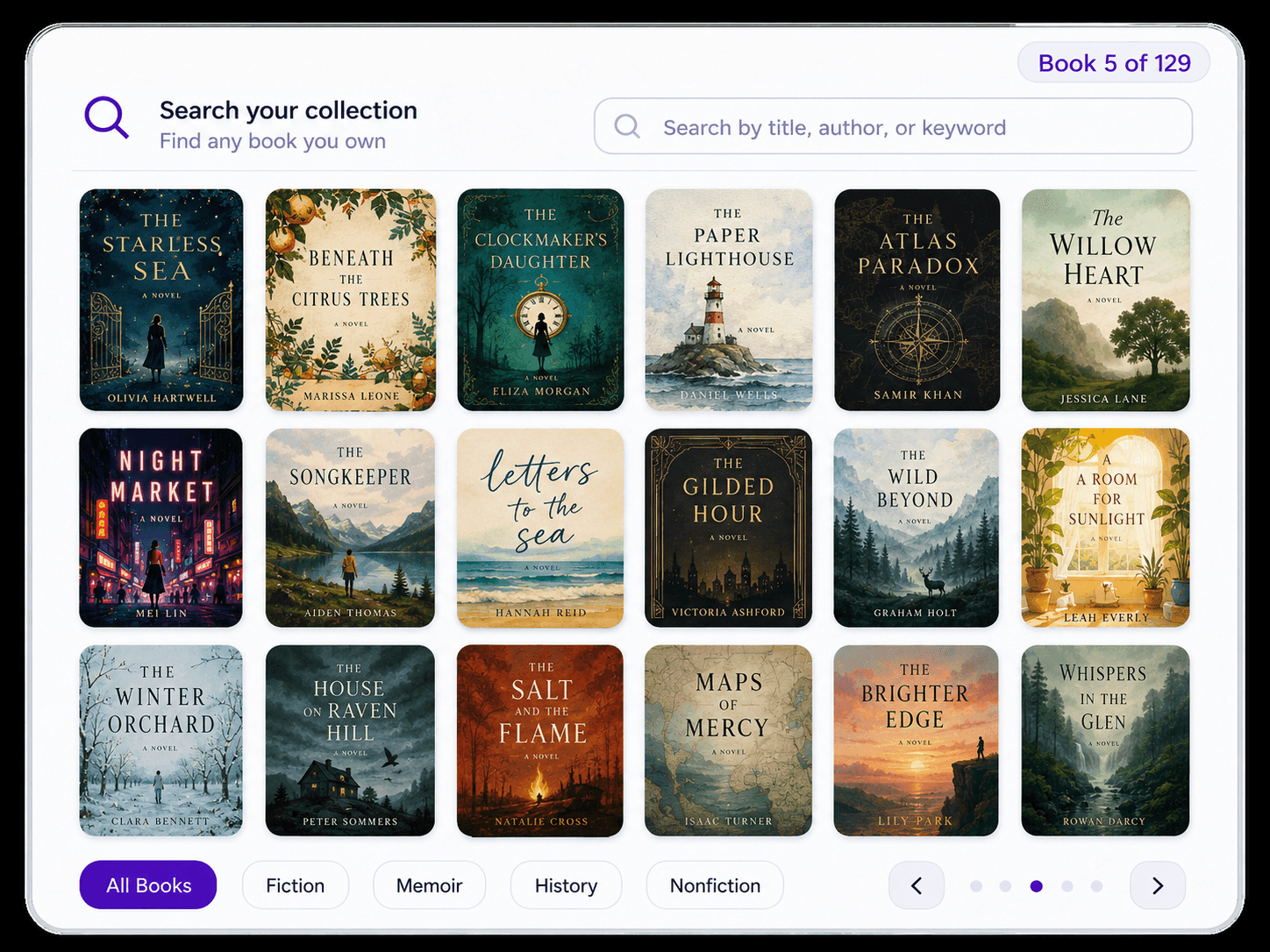
Search your book inventory before a bookstore visit or online purchase instead of relying on memory across hundreds of titles.
See the cataloging workflowFind the physical book
Keep shelf context with the catalog so a search can lead you back to the bookcase and shelf where the copy actually lives.
See shelf organizationAvoid accidental duplicates
Use the inventory as a quick reference when a familiar title catches your eye and you are not sure whether it is already at home.
Learn how to build a useful catalog
How Velato builds it
From bookshelf to searchable book inventory
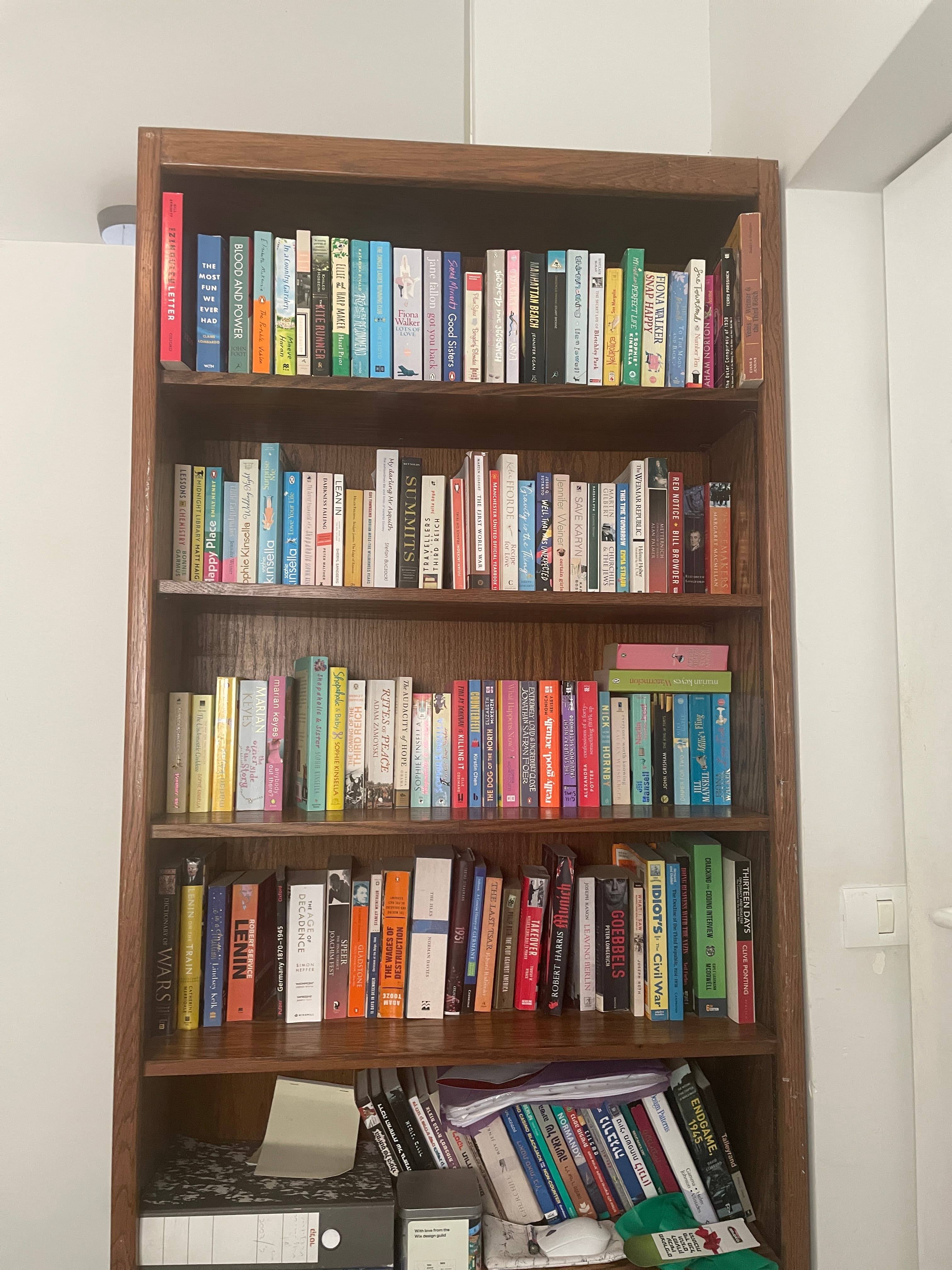
Velato starts with the collection as it already exists: on the shelf. Capture a row, review the matches, and continue bookcase by bookcase.
- 1
Point your iPhone at a shelf
Frame a row of visible book spines. There is no need to remove the books or expose their back-cover barcodes.
- 2
Pan across the books
Capture multiple books in one continuous pass while Velato reads the visible spine information and builds the first inventory.
- 3
Review and search your inventory
Check the identified titles, correct anything that needs attention, and continue shelf by shelf until the collection is accounted for.
Shelf scan or barcode scan
Inventory an existing collection without handling every book
Barcode entry is useful when you are adding one new book or need edition-level precision. It is much more repetitive when the starting point is an already-full bookcase.
Individual barcode scanning
Pull out a book, find its ISBN barcode, scan it, return it to the shelf, and repeat. It can be precise, but the work scales one book at a time.
Manual title entry
Search or type each title individually. It works when a barcode is missing, but the collection still has to be processed one book at a time.
Velato's shelf-first inventory
Capture many visible spines in one pass, then review the results. The books stay where they are and their shelf context remains part of the inventory.
FAQ
Book inventory app questions
Practical details about turning a physical home library into a searchable record.
What is a book inventory app?
A book inventory app keeps a searchable record of the books you own. For a home library, the most useful inventory can also preserve where each book lives so you can find the physical copy later.Do I need to scan every ISBN or barcode?
Not with Velato's shelf-first workflow. Keep the books on the shelf, point your iPhone at the row, and pan across the visible spines. Learn more about the bookshelf scanner app.Can a book inventory help prevent duplicate purchases?
Yes. A searchable inventory gives you a quick way to check whether you already own a title before buying another copy, especially when your collection is too large to remember reliably.Can I organize books by their physical shelf?
Yes. Velato keeps books connected to the shelf and bookcase where they were scanned, so the inventory reflects the collection in your home rather than becoming only a flat list of titles.Is Velato available on Android?
Not yet. Velato is currently available on iOS. Android readers can join the waitlist from the download flow on the site.
Build your book inventory from the shelf.
Keep your books in place and turn the collection into a searchable home library with Velato for iOS.