
The Shelf-First Libib Alternative
Tired of pulling every book off the shelf to scan a barcode? Velato reads visible book spines in one continuous camera sweep, building your digital home library in minutes.
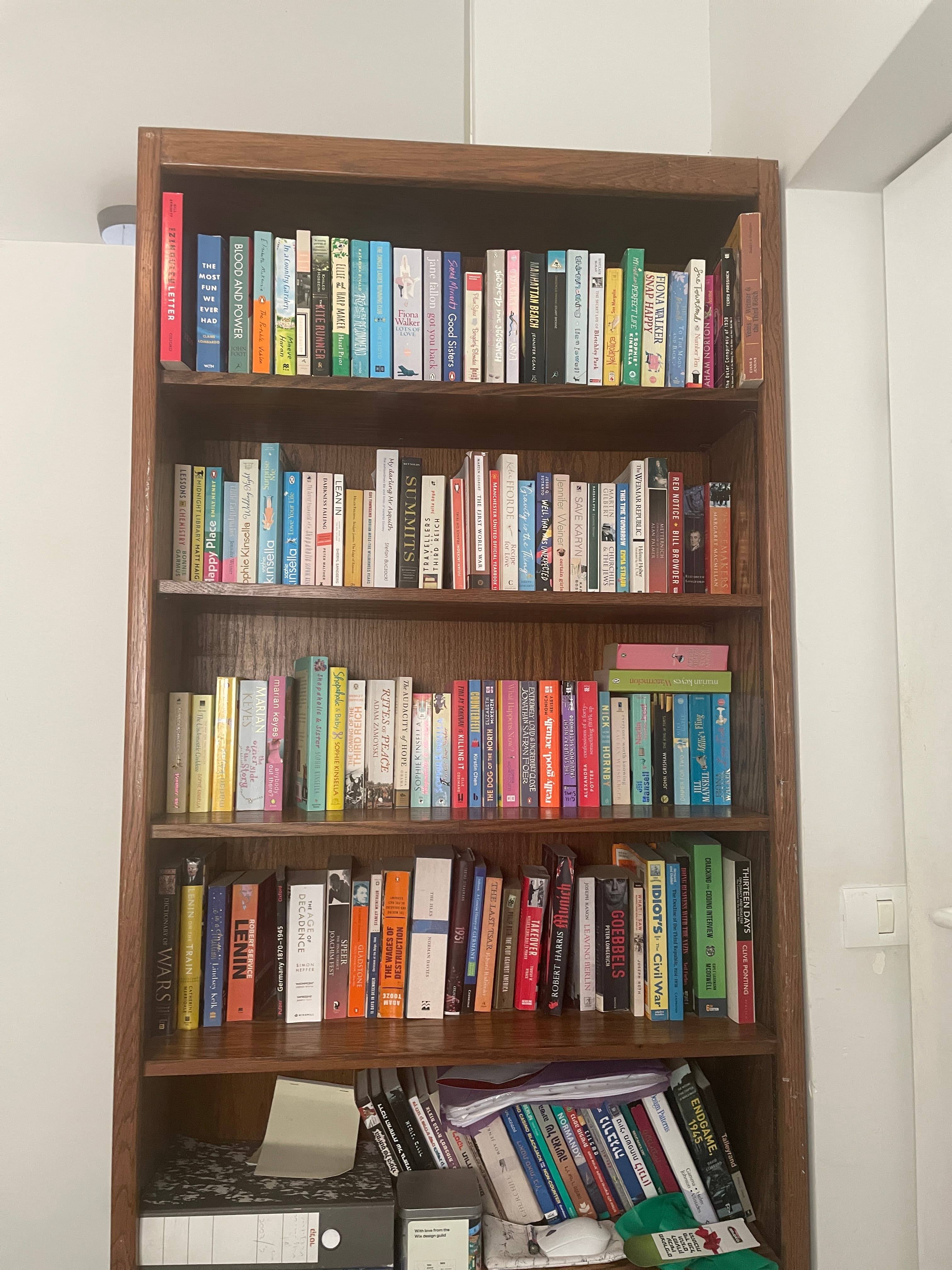
★★★★★“My bookcase has 2 columns, 5 rows each. I scanned them all in less than 5 minutes.”— Sam, 500+ books
Key Architectural Differences
Why readers look for an alternative to Libib
Libib is a capable general-purpose media catalog. However, readers with existing collections of physical books face specific workflow frictions that modern computer vision solves.
Choose Libib if you need lending circulation for an organization or also catalog games, vinyl, and DVDs. Choose Velato if you have hundreds of physical books already sitting on shelves and want them cataloged in minutes without barcode scanning fatigue.
1. The 500-Book Bottleneck
Shelf sweep vs. barcode gymnastics
Libib was designed around the traditional library barcode scanner: pull a book off the shelf, flip it over, locate the barcode, scan it, and put it back. For 10 new books, that is fine. For a personal library of 300 to 1,000 books, handling every book individually is exhausting. Velato captures dozens of spines in a single continuous camera pass while the books stay in place.
2. Older Books Without Barcodes
Spine OCR vs. manual typing
Millions of vintage paperbacks, antiquarian hardcovers, and books published before the 1970s have no barcode on the cover. With Libib, you have to type titles and authors manually. Velato reads visible typography directly off the spine, identifying non-barcoded editions right alongside modern releases.
3. Spatial Shelves vs. Flat Spreadsheets
Where the physical book actually lives
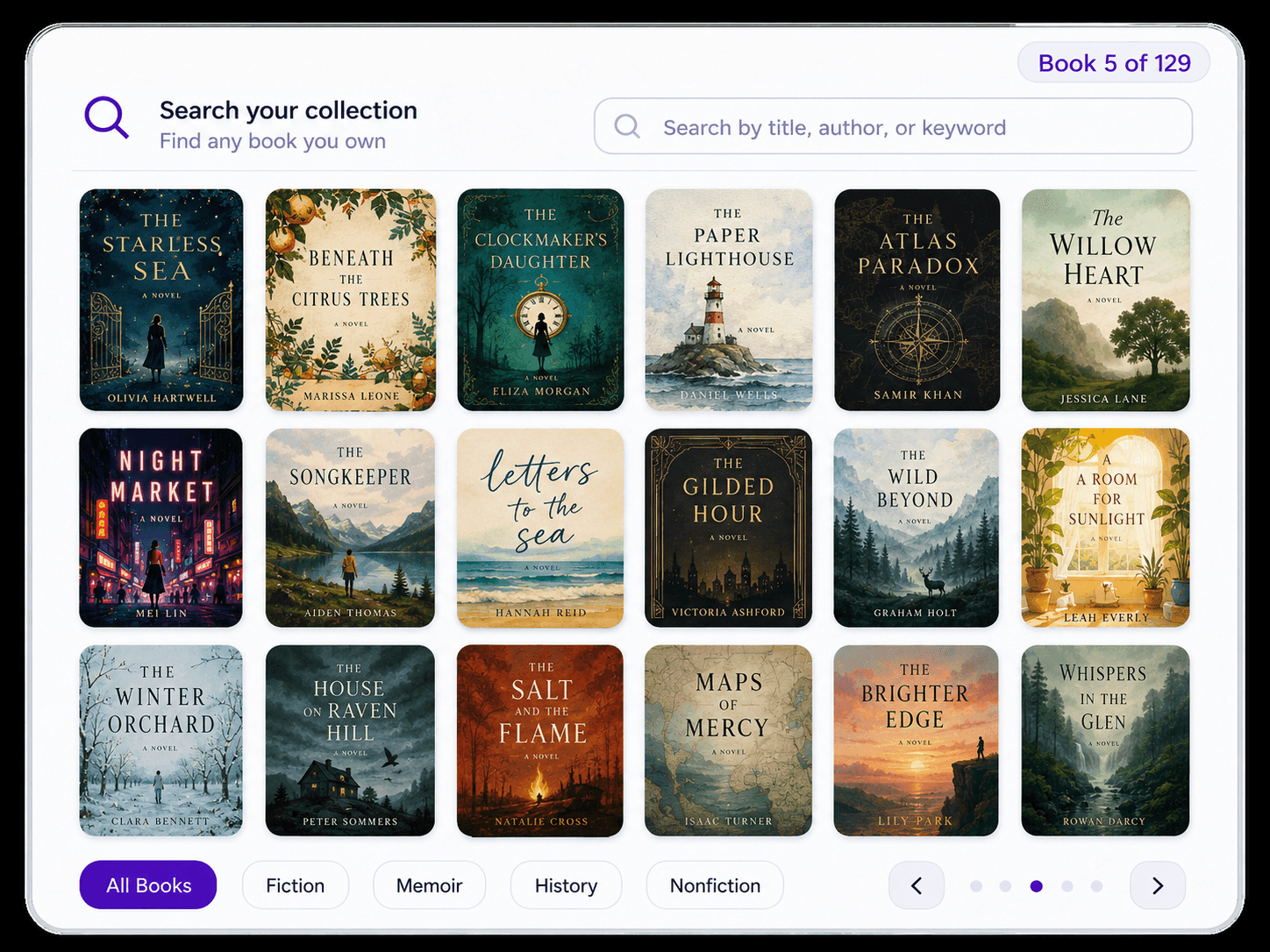
Finding a book in Libib tells you that you own it, but not necessarily where it sits in your home. Because Velato scans shelf by shelf, your digital library reflects the physical layout of your room, bookcases, and shelves—making it effortless to retrieve physical copies later.
Side-by-Side Comparison
Velato vs. Libib at a glance
| Feature | Velato | Libib |
|---|---|---|
| Cataloging Method (Continuous Spine Scan vs Barcode) | Continuous video sweep of visible spines | One-by-one barcode / ISBN scanning |
| Books stay on the shelf | ||
| Cataloging speed for 100+ books | Minutes (sweeps full shelves at once) | Hours (each book handled individually) |
| Works without reachable barcodes | Yes (reads spine typography & title text) | Requires manual title search or typing |
| Physical shelf location tracking | Bookcase & shelf structure mapped automatically | Manual tags or custom collections |
| Reading insights & visual profiles | Automated subject, era, and author insights | Basic collection counts and tags |
| Digital library sharing | Shareable public web link with shelf preview | Published web kiosk (available on paid plans) |
| Non-book media (movies, games, music) | ||
| Institutional circulation & patron management | Yes (Pro subscription) | |
| Pricing & Free Tier Limits | Free iOS app | Free Basic (up to 5,000 items) / Paid Pro |
Which tool should you choose?
Choose Velato if:
- • You have an existing home library (100–1,000+ books) already on shelves.
- • You want to catalog books without pulling each one down to find a barcode.
- • You own older books, vintage paperbacks, or editions without barcodes.
- • You want your digital catalog to mirror your physical bookcase layout.
- • You value a clean, visual reading profile with shareable web links.
Choose Libib if:
- • You need to catalog mixed media alongside books (board games, movies, music).
- • You run a small school, church, or office library needing formal lending circulation.
- • You prefer using an external USB barcode wand connected to a desktop computer.
- • You already have an existing CSV export of ISBNs to bulk import.
A Fundamental Shift
From barcode scanning to computer vision
Libib was created when mobile barcode scanning was cutting-edge. But barcodes were designed for checkout counters, not personal collections already arranged neatly on wood shelves.
Velato was designed around a simple premise: your camera should recognize books the way your eyes do. By scanning whole rows continuously, cataloging shifts from a tedious weekend chore into a five-minute sweep.
How It Works
Catalog your shelves in three simple steps
No barcode hunting, no ISBN typing, and no scanner fatigue.
- 1
Point your iPhone at the shelf
Keep the books where they sit. No need to remove them or flip to the back cover.
- 2
Sweep across the row
Velato detects titles and authors continuously directly from spine typography.
- 3
Review your digital catalog
Check the results, edit any details, and browse your searchable collection.
Explore Further
More ways to organize your books
Velato combines shelf capture with everyday personal library management.
Bookshelf Scanner App
Learn how continuous spine recognition works under the hood.
See scanner featuresBook Inventory App
Keep track of physical room and shelf locations for every copy you own.
Explore inventory trackingBest Book Catalog Apps
See our broader 2026 roundup comparing Velato, Libib, LibraryThing, and Goodreads.
Compare all apps
Reader Feedback
What collectors are saying
"One sweep of the camera, and 30 books just... appeared. It's actually addictive."
— Tal, 100+ books
"My bookcase has 2 columns, 5 rows each. I scanned them all in less than 5 minutes."
— Sam, 500+ books
"I scanned five shelves in less than a minute."
— Beta tester, 300+ books
FAQ
Frequently Asked Questions
Common questions about switching from Libib to Velato.
Why do readers look for an alternative to Libib?
Libib relies heavily on barcode scanning, which works well for small additions but requires hours of repetitive physical labor for hundreds of existing books. Readers look for alternatives like Velato to digitize full shelves continuously without handling every book.How do I switch from Libib to Velato?
Instead of exporting and reformatting spreadsheets, simply pan your iPhone camera across your bookshelves. Velato captures up to 50 book spines in a single sweep, letting you rebuild your entire digital catalog—with physical shelf locations included—in just a few minutes.Is Velato free to use like Libib Basic?
Yes. Velato is free to download and use on iOS. You can scan shelves, build your catalog, search your collection, and share links at no cost.How does Velato compare to Libib for physical media cataloging?
While Libib supports mixed physical media (like DVDs and video games) via barcode scanning, Velato specializes exclusively in physical books. Instead of pulling every item off your shelf to scan UPC barcodes, Velato uses computer vision to read dozens of physical book spines in a single sweep.
Ready to catalog your shelves the easy way?
Scan your first bookshelf in seconds with Velato on iPhone—no barcode scanning required.